Transfer Files with Fileinbox
How to Transfer Files
Fileinbox makes it easy to create professional whitelabeled file upload web pages to send to your clients. It's drag-and-drop simple to securely receive large files and keep them automatically organized in your existing cloud storage.
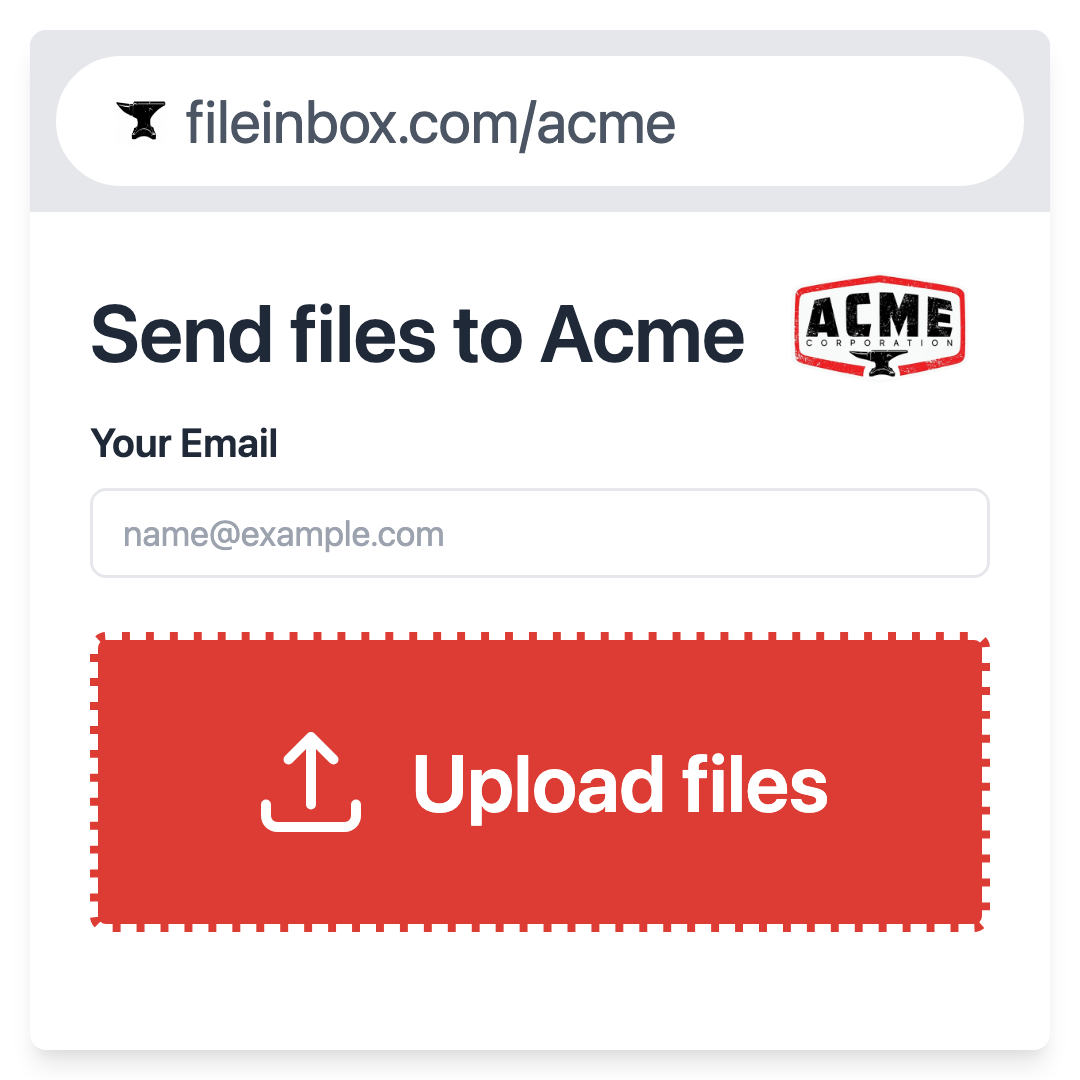
- 1. Create a file receiving page
-
Just type in your business or project name to create a custom, private, and secure upload portal to receive large files. Customize it with extra form fields, your logo and brand colors, and custom uploader instructions. You can even embed it in your website!
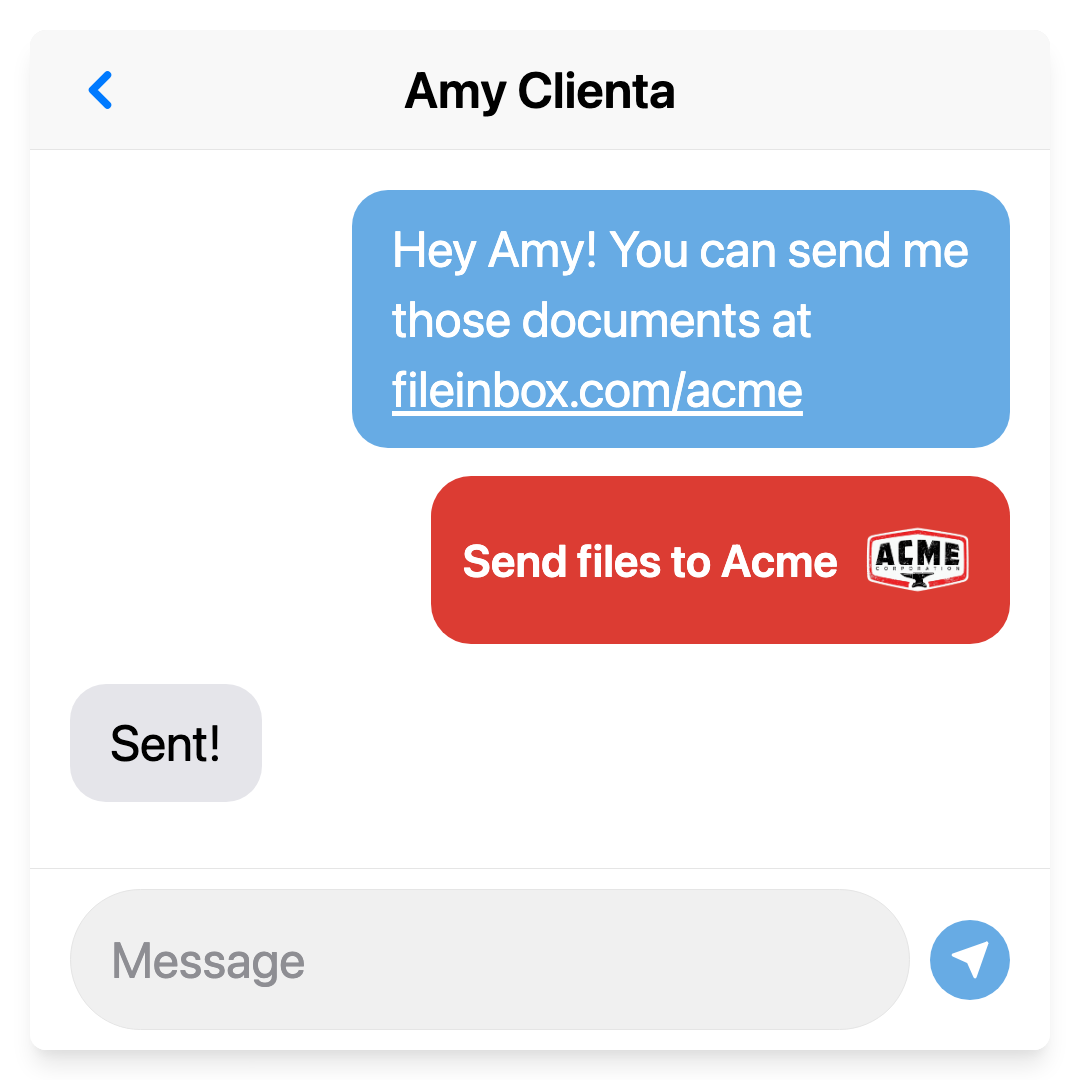
- 2. Share your file request link
-
Copy and paste your whitelabeled link and send it to all of your uploaders over email, text, or social networks. Your Fileinbox web page will work great for requesting files from Android or iPhone devices. Fileinbox keeps uploaded files secure and private with no logins required.
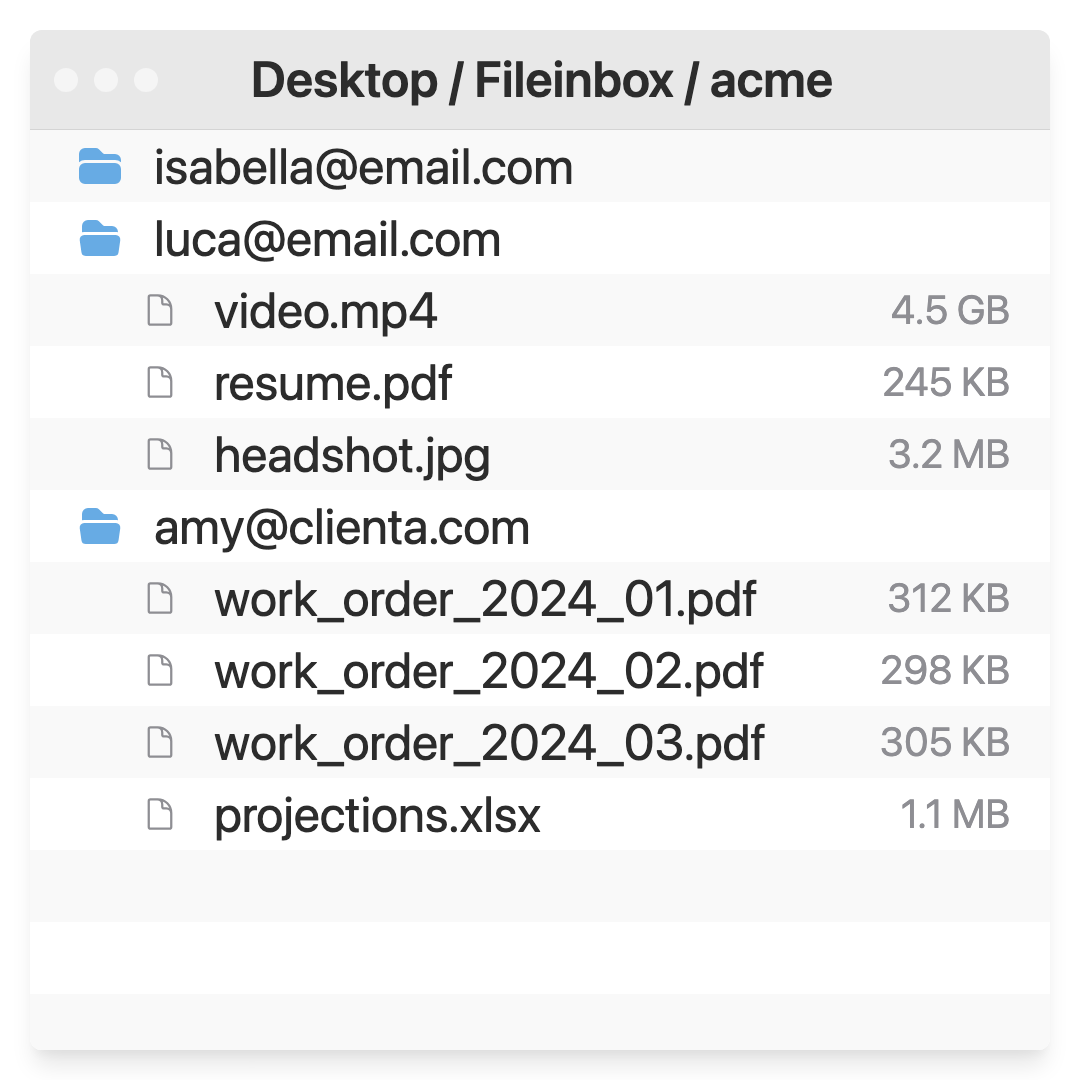
- 3. Receive files
-
Your uploaders just drag and drop or tap to securely and privately send you their large files. You can customize uploads to sync with cloud storage like Dropbox or Google Drive. Automatically organize files based on your uploader's name, email address, or internal id.
Create a file receiving page
Fileinbox's File Transfer Features
Easier and more secure than email attachments.
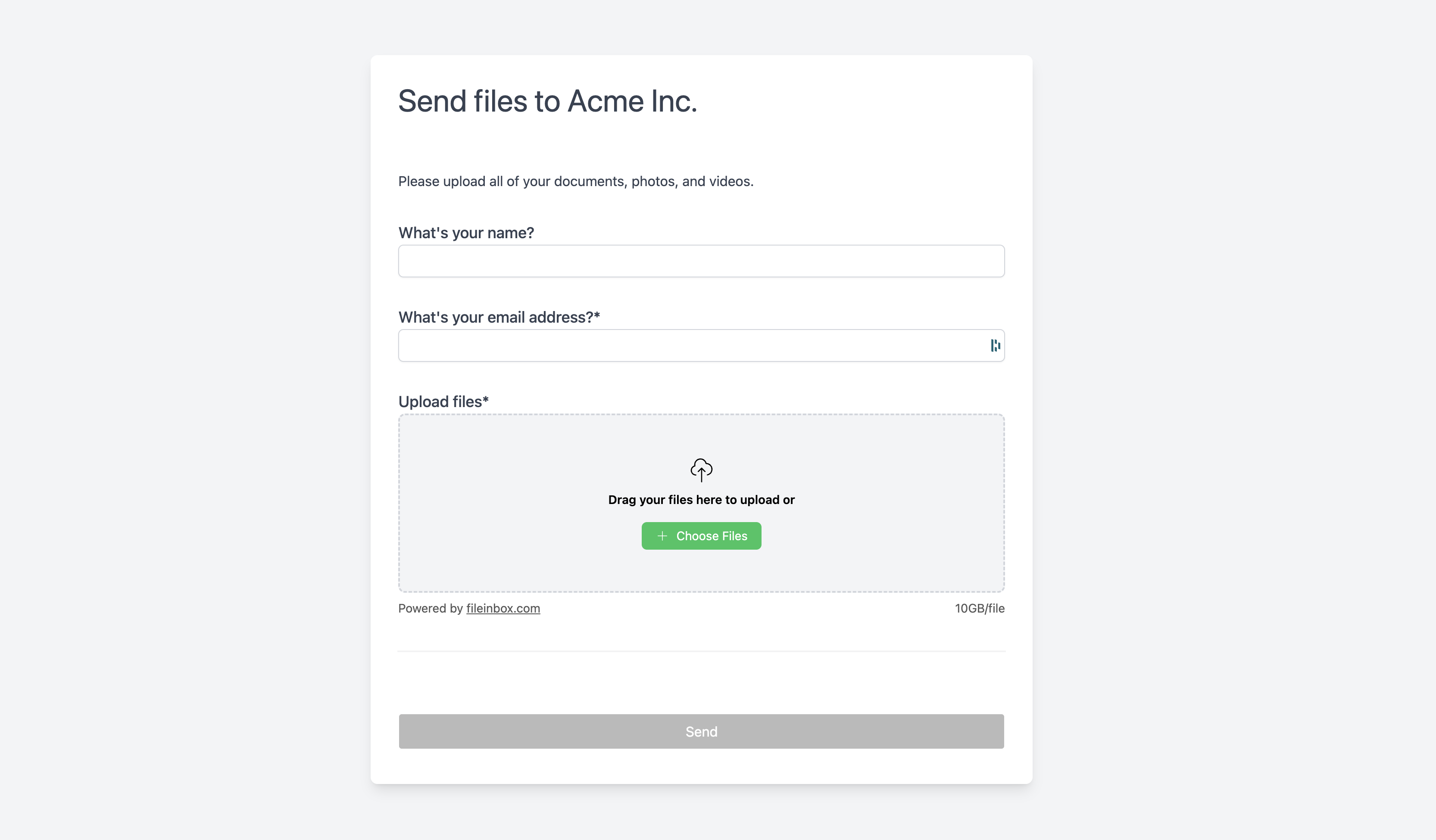
- Large Secure File Transfers
- Transfer files up to 5TB. Fileinbox is fast, encrypted, and fully compliant: TLS in transit, AES‑256 at rest, HIPAA and GDPR ready SLAs, access logs, and optional password protection.
- Drag‑and‑drop Simple
- No tech knowledge? No problem! Fileinbox is grandma‑proof. Uploaders don't even need an account: just click, drag, and send.
- Whitelabel and Embed
- Fully brand your upload pages or embed them directly on your website for a seamless upload experience.
- Full Form Builder
- Collect anything along with your files: names, addresses, phone numbers, signatures, you name it. Built-in logic even lets you auto-organize uploads as they come in.
- Seamless Integrations
- Auto‑sync and organize uploads to your Dropbox or Google Drive. Integrate with OneDrive, SharePoint, Slack, Zapier, and more.
- Team Management
- Invite team members, manage access, and stay in control of every upload. Fileinbox is perfect for helping distributed teams stay in sync.
- Global Storage Regions
- Store files in your preferred region for faster transfers and compliance with local regulations.
- Webcam & Screen Recording
- Need video? Let uploaders record their screen or camera with no app installation required. Great for remote job applications, support issues, or testimonials.
- Custom Mobile Apps
- Put your business on your uploader's home screen as a custom branded Progressive Web App (PWA) powered by Fileinbox.
Trusted by thousands of users
See what our customers have to say about Fileinbox
"Fileinbox makes my life so much easier! It's a very simple and straightforward process. My clients can easily load their files, which is much easier than attaching them to an email. I've never had anyone say they can't do it. It just does what it's supposed to do. They just load files in and I take them out."
"Fileinbox is priceless because it takes all the frustration out of file transfer. For my clients or contributors, the beauty is they just click a link and drop their files. They can't mess it up. It simply and easily does exactly what you need. That simplicity and elegance saved me so much time."
"Fileinbox is a very simple and uncomplicated system, both for us and our customers and most customers prefer things that are uncomplicated. It does everything we need it to do without overthinking. We can have photos printing in less than a minute after a customer sends them."
"Fileinbox stood out as the easiest file uploader to manage, and crucially, it was the easiest for my students to follow. It perfectly met my needs for a simple drag-and-drop interface with Dropbox integration. It was the only service that did both."
"Fileinbox is incredibly easy to use, even for people who aren't tech-savvy or speak a different language. Just one or two clicks and the files are on their way, directly from a phone camera, to a place I can easily access."
"Fileinbox was a lifesaver for our event planning company, especially for clients without massive budgets. It was incredibly easy to use right out of the box with no learning curve, allowing us to deploy it fast. It offered a simple, reliable way to get presentations and files from speakers and sponsors, which was a nightmare to track through email."
Frequently Asked Questions
Everything you need to know about Fileinbox
- How big of a file can I upload?
- You can upload files up to 5 TB in size. FileInbox uses chunked uploads and direct-to-cloud storage to handle massive files reliably.
- Do my uploaders need to create an account?
- Nope. Just send them a link—they can drag, drop, and upload without logging in or signing up.
- Is FileInbox secure and compliant?
- Yes. All transfers use TLS encryption, and files are encrypted at rest with AES‑256. We're HIPAA- and GDPR-ready with available SLAs and access logs.
- Can I brand the upload page or embed it in my site?
- Yes. You can fully customize the look and feel of your upload form, or embed it directly into your own site.
- Can I collect other information along with the file?
- Yes. Add custom fields for names, emails, phone numbers, notes, signatures, and more. You can even automatically organize uploads based on this data.
- Where are files stored? Can I choose the storage region?
- You can choose from multiple global regions to meet compliance requirements and optimize for upload speed.
- What integrations are supported?
- FileInbox integrates with Dropbox, Google Drive, OneDrive, SharePoint, Zapier, Slack, and more. You can automatically sync uploads to your preferred system.
- Can I use this with my team?
- Yes. You can add team members, assign roles, and manage who has access to what.
- Can I collect videos from uploaders?
- Yes. Uploaders can record their screen or webcam right in the browser—no software or plugins needed.
- Is there a mobile app?
- Sort of. Uploaders can add your upload form to their home screen as a branded web app (PWA). No download required.
- Do you offer a free trial?
- Yes. You can start for free—no credit card required.